 Login
Login


Setup Prompts
Setup Prompts allows you to set up the drop down list associated with each prompt in Expert Agent. You will need to setup the parameters that are used for Enquiry Sources, Appointment Types and other aspects.
In order to access the Setup Prompts option go to Tools – Configuration – Setup Prompts.
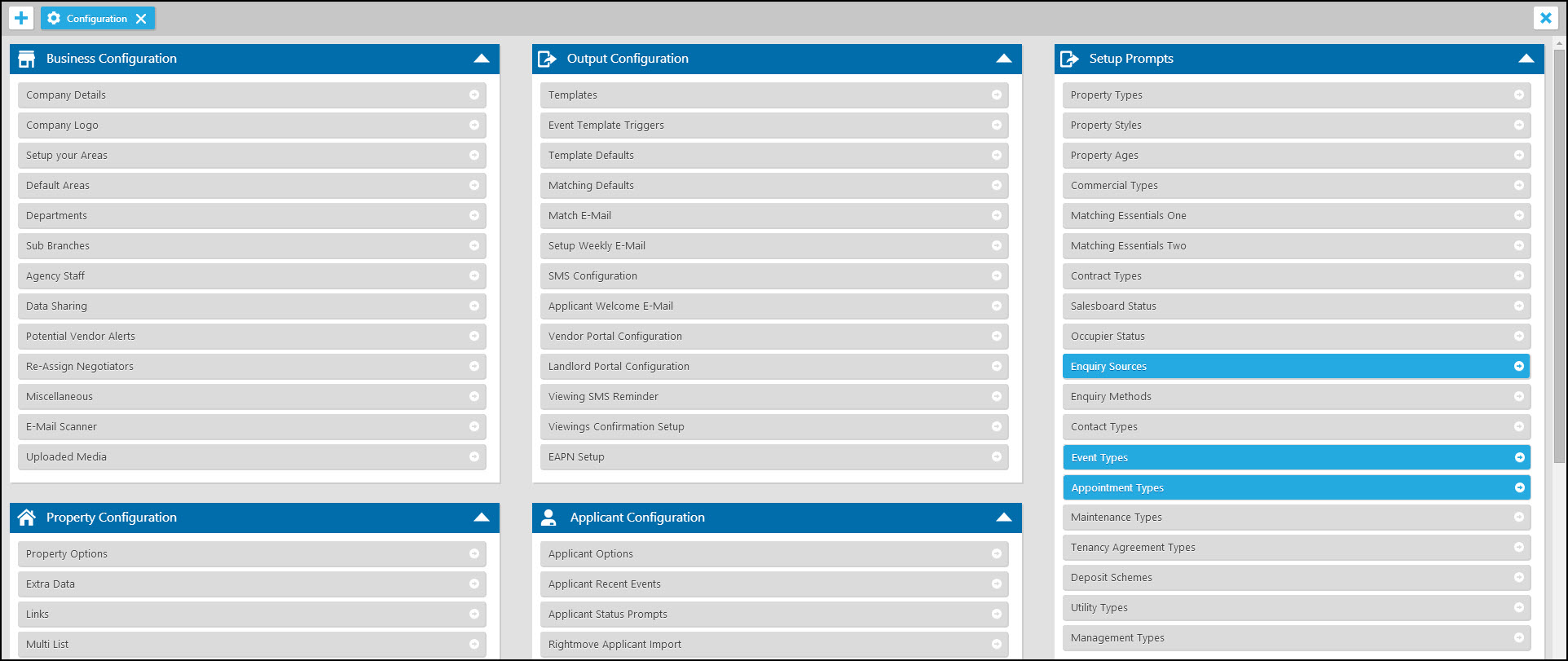
Although all of these options require some form of attention we would specifically advise Enquiry Sources, Event Types and Appointment types for managers.
Enquiry Sources
It is important to ensure all of your enquiry sources are listed here and that your negotiators are asking the question. It allows you to determine where most of your traffic is coming from to ensure you are allocating the correct budget per quarter to each source.
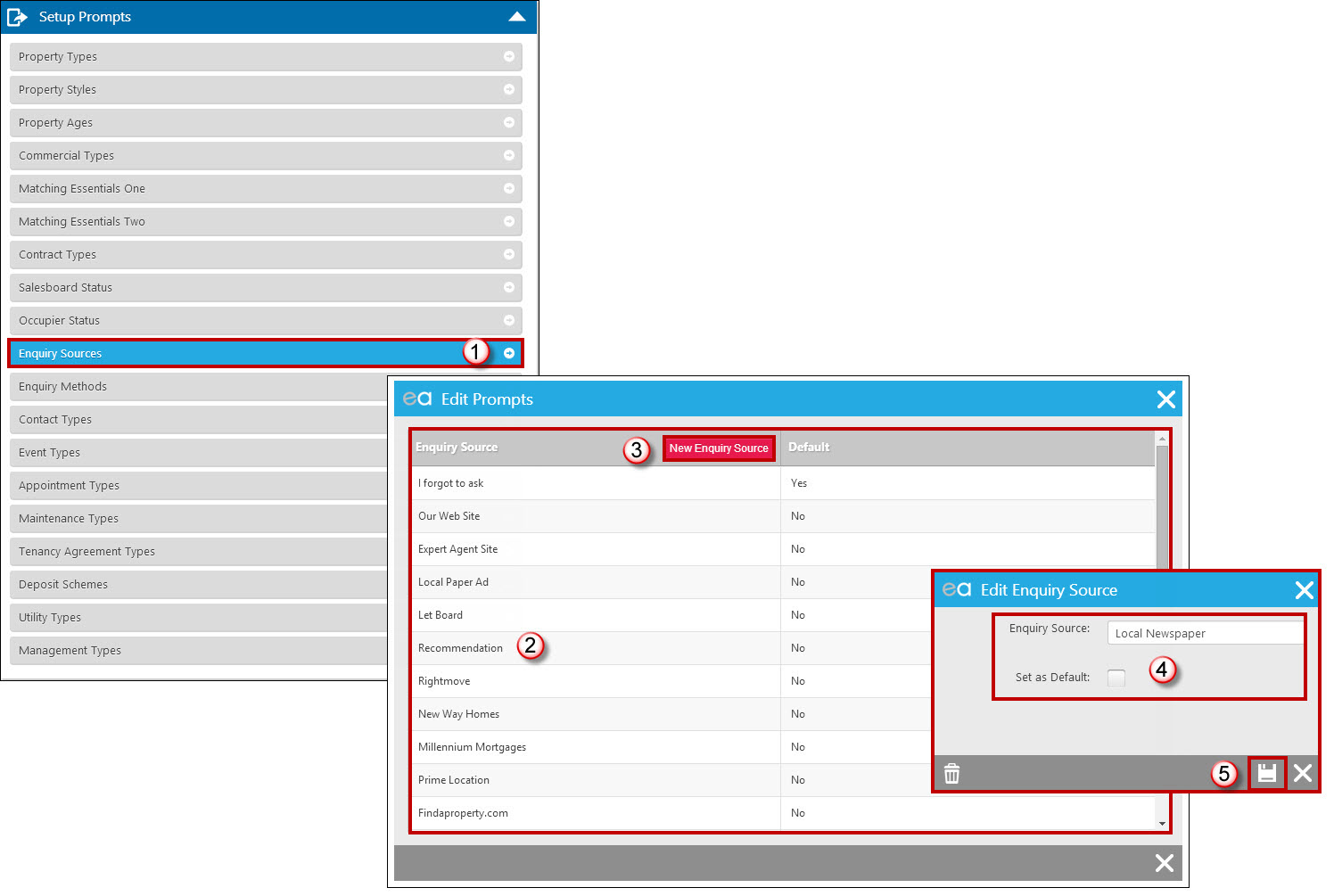
- Select the Enquiry Sources option.
- Edit or rename any existing options.
- Click on the 'Add New Enquiry Source' option to add new ones.
- Enter the new source
We would advise that you have all your sources listed. For example, instead of just having “Portals” ensure they are separated as individual portals i.e. “Rightmove”, “Zoopla” etc. This will help show you if you’re getting lots of enquiries from one portal and only a few from others.
Event Types
Setup various log entries to categorize your events more effectively. Expert Agent stores a track history of events on each record. Ensuring that you enter some relevant Event Types for your business will allow you to search for an event easily. i.e. Maintenance Work, Update call with Landlord, Sales Progression notes etc.
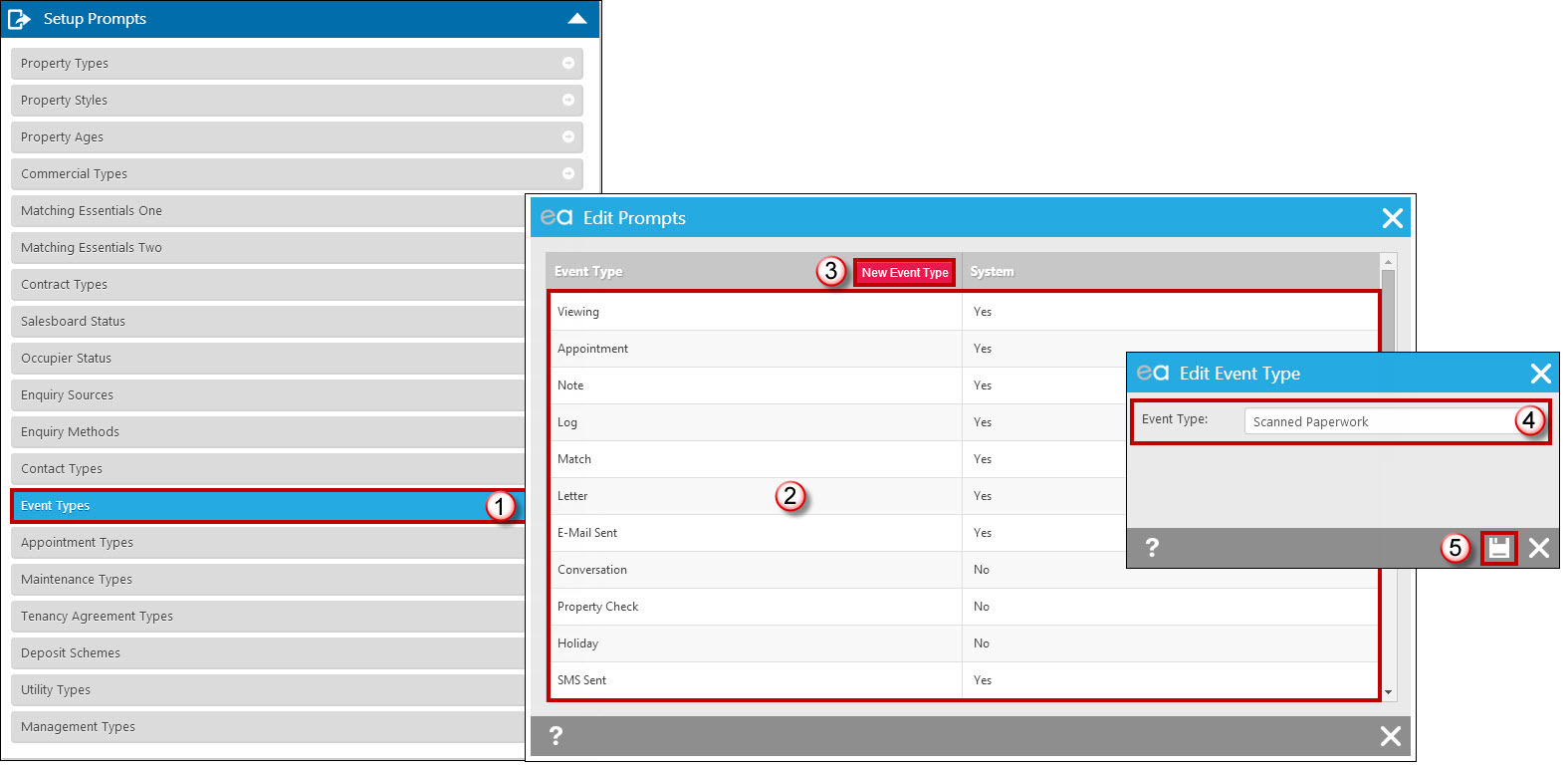
- Select Event Types option.
- Any default or existing event types will display.
- Click “New Event Type” to add new ones.
- Add additional event types such as Sales Progression Notes, Update call with Vendor etc.
- Save
Appointment Types
Setting up various appointment types can be beneficial to categorize your diary a lot more effectively. If you do not add all of your appointment types in, a lot of them will simply go in as a log which can be quite confusing when working with busy diaries.
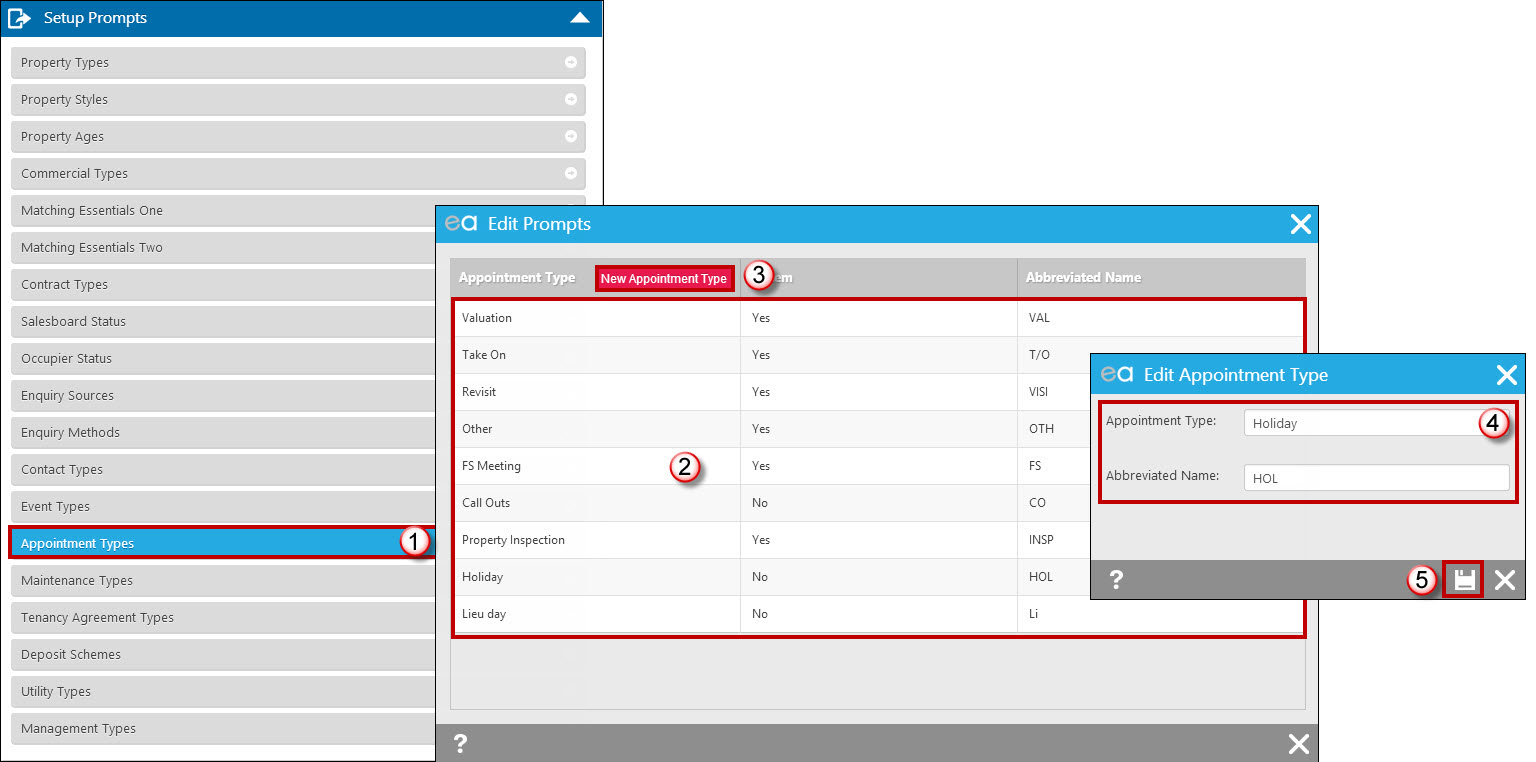
- Select the Appointment Types option.
- Amend any appointment types currently setup.
- Click “New Appointment Type” to add any additional appointment types.
- Add a new appointment type e.g. Holiday and the abbreviated name to show in the diary.
- Save
Tel: 01225 303500 | Email: account.managers@webskyltd.com
Terms of Business | Cookie Policy | Privacy Policy | ZPG Modern Slavery Statement
Designed by the Expert Agent Design Department