 Login
Login

The aspect ratio of my brochure images are incorrect?
The reason the images in your brochures do not match the aspect ratio of the images uploaded to the property, is due to the way Expert Agent merges documents. When merging a word document we do not open the word file itself, instead we do an advanced find and replace within the sub files of the word document.
The work around for this issue is to manually resize any affected images while proof-reading your brochures, before uploading it back to Expert Agent. You can do this by clicking and dragging the edge of the image.
My grids don't seem to be loading?
To re-set your grids, hover over 'Tools' in the top menu, click on 'My Profile' and then click the 'Apply Standard Settings' button at the bottom of the screen:
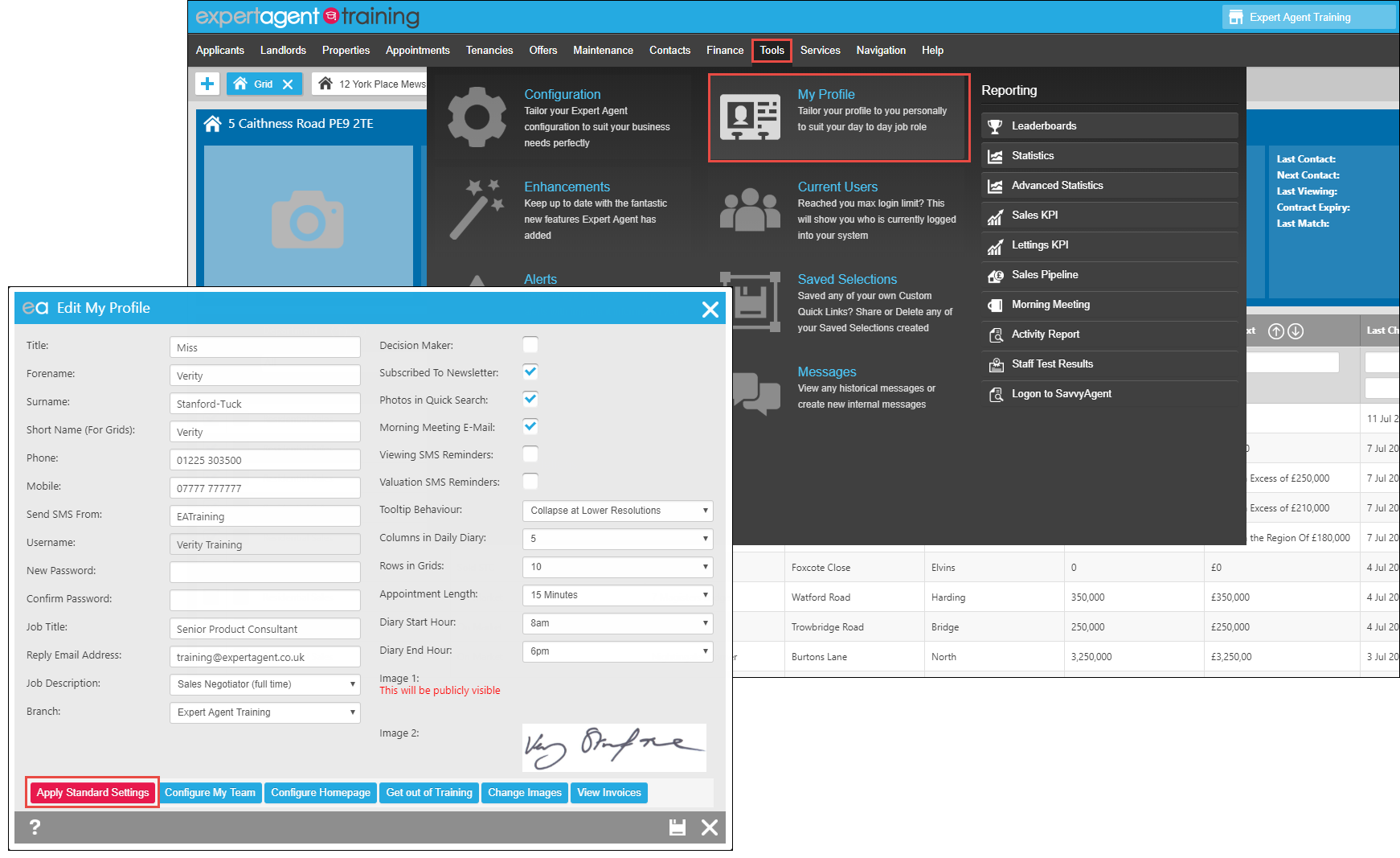
On the follow screen you will be presented with all the Grids that can be re-set. Please note the top option is to reset your Quick Links on your Right Hand Tool Bar so untick that one.
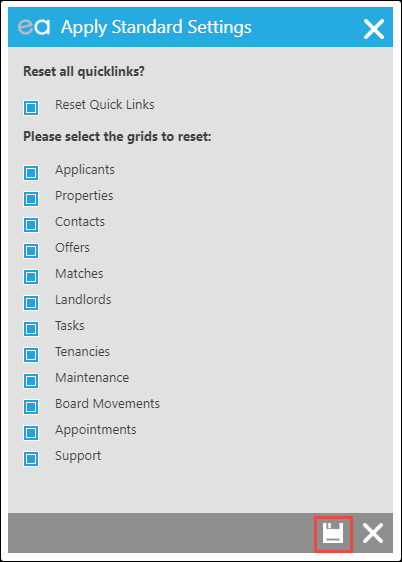
All the Grids are included by default so make sure that you untick any grids that you do NOT want to reset.
Once this is done and has been saved, log off and back on to Expert Agent and try again. This should resolve the problem for any grid that is not loading properly.
How much do the SMS bundles cost?
The SMS bundles we offer are as follows:
| Bundle Name | Cost | Credits | Cost Per Message |
| Bronze | £200+VAT | 2500 | 8p |
| Silver | £500+VAT | 7142 | 7p |
| Gold | £1,000+VAT | 16666 | 6p |
| Platinum | £2,000+VAT | 40000 | 5p |
Text credits do not expire, so you can bulk buy and just see how long it takes you to use them up. And you wont go in to a text overdraft- if you run out of credits, your messages wont send until you've topped up again.
*PLEASE NOTE - A text credit is 160 Characters
How do I sync the Diary with Outlook?
In Expert Agent we have given you the ability to sync your diary appointments with your Outlook Calendar, so you can keep track of all your events and appointments from there should you wish.
The instructions that follow are for syncing your appointments to outlook on a Windows machine using Outlook - steps 1-3 will be the same for all devices but the remaining steps may vary if you are using a different device.
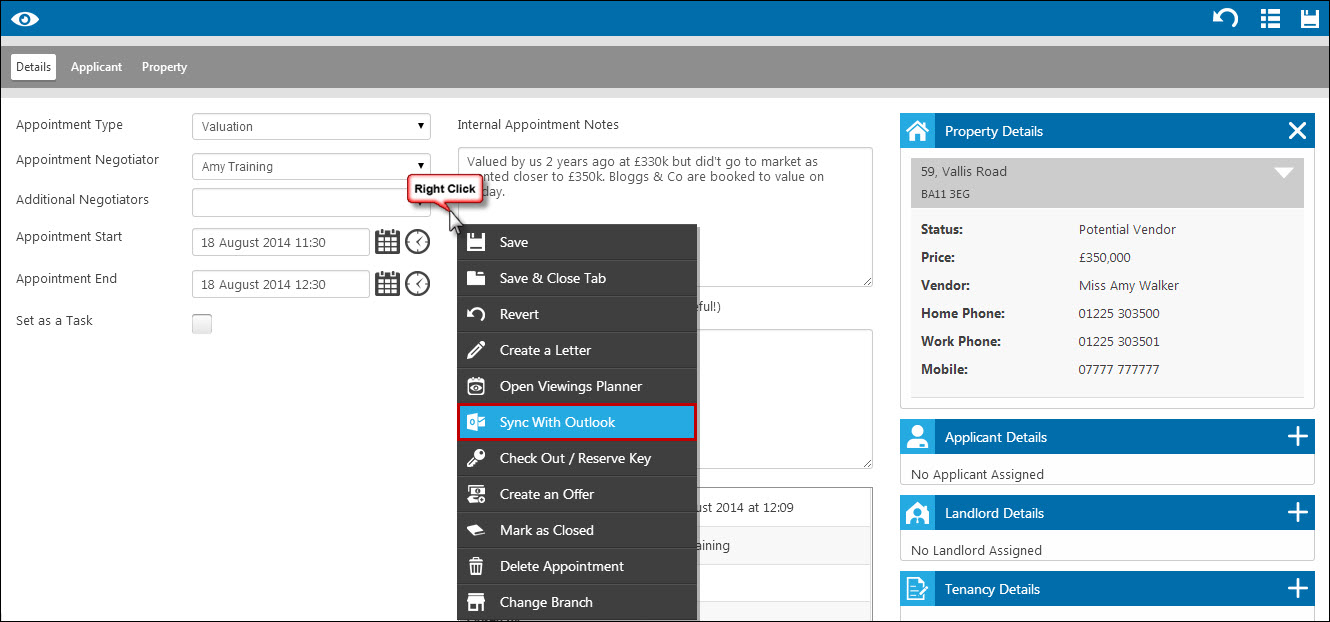
1. Open the appointment in Expert Agent that you want to sync to your Diary (if it’s a new appointment you will need to right click and save the appointment before you see the Sync option), right click and press 'Sync with Outlook':
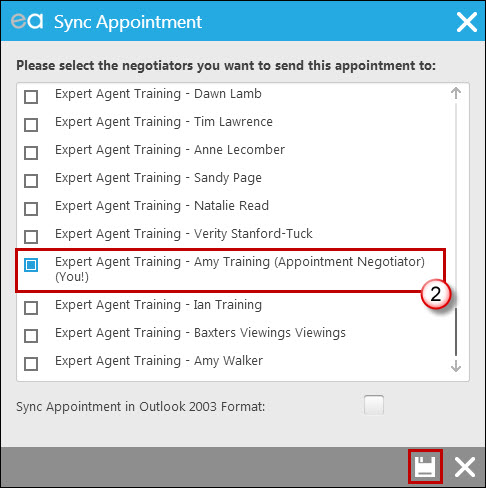
2. Select the negotiators for whom you would like to sync the appointment. Click the save icon at the bottom of the screen (you will need to tick the “Sync Appointment in Outlook 2003 Format” if you have Office 2003 or earlier).
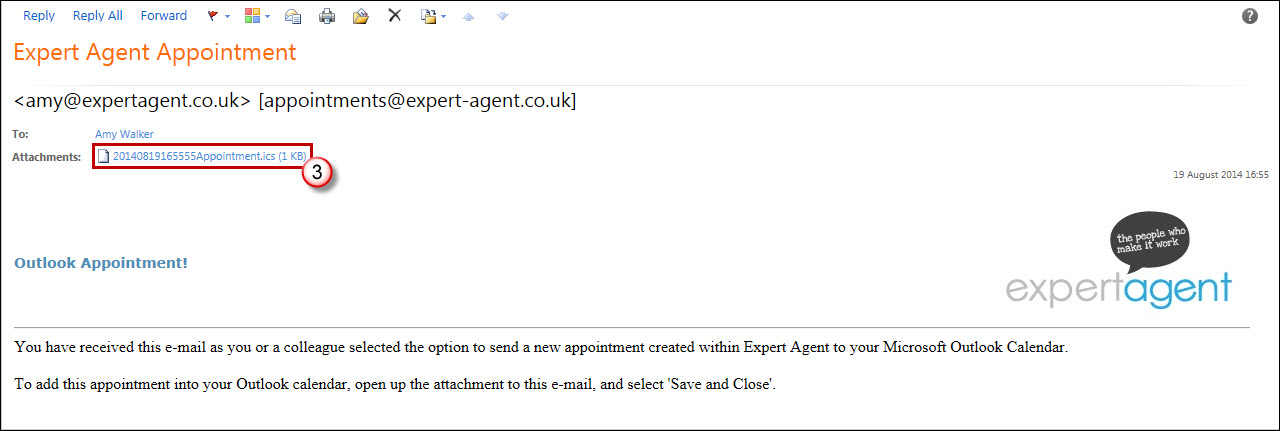
3. You will receive an email similar to the one below - double click on the appointment.ics file at the top of the email:
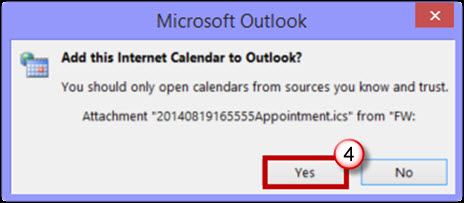
4. You may get a window that looks similar to this (older versions of Office may not show this screen). If you do, click ‘Yes’:
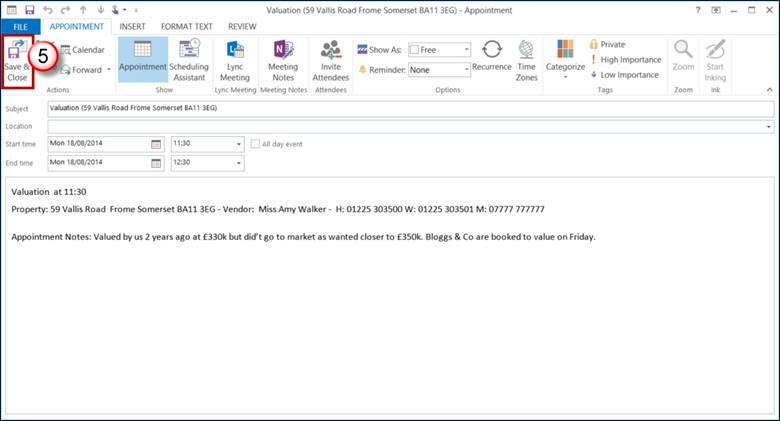
5. The appointment will then be displayed for you to edit the appointment settings if relevant. Clicking ‘Save & Close’ saves the appointment in your diary.
Tel: 01225 303500 | Email: account.managers@webskyltd.com
Terms of Business | Cookie Policy | Privacy Policy | ZPG Modern Slavery Statement
Designed by the Expert Agent Design Department