 Login
Login



What are the recommended system requirements to run Expert Agent?
As Expert Agent is web based the computer hardware requirements are minimal, however if you were stepping out to buy a new PC, our recommended system specification is:
PC:-
CPU: Intel Core i3 / i5 / i7 rather than older dual-core machines
RAM: 4Gb+
OS: Windows 7, 8 or 10
Google Chrome: Latest Version – Disable pop-ups where possible
MAC:-
Google Chrome: Latest Version – Disable pop-ups where possible
Office 365
What do I do about a property with more than one landlord?
Often properties will have more than one landlord. If a married couple owns a property together with equal share then often you are able to set them up with only one landlord record, however if they were Non Resident Landlords, you would need to set them up separately so that the NRL tax was calculating correctly on each of them.
Please visit the page regarding setting up a Property with Multiple Landlords.
How do I link brochures within Match Emails
If you want to link to the actual brochure within your Match Emails rather than linking to our Powering as normal, you can do this from the Property.
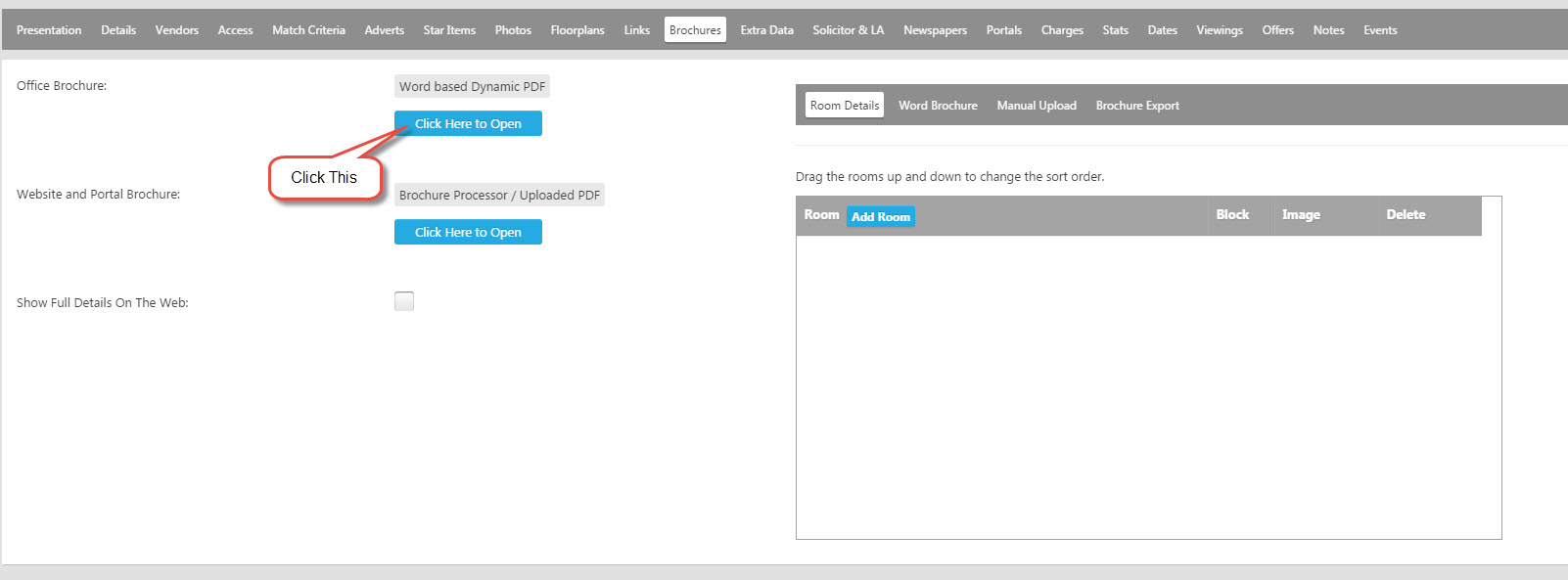
From the Brochures tab of the Property record, click on "Click Here to Open" on the Brochure (you will need to create one first)

Copy the URL at the top of the brochure pop up window.
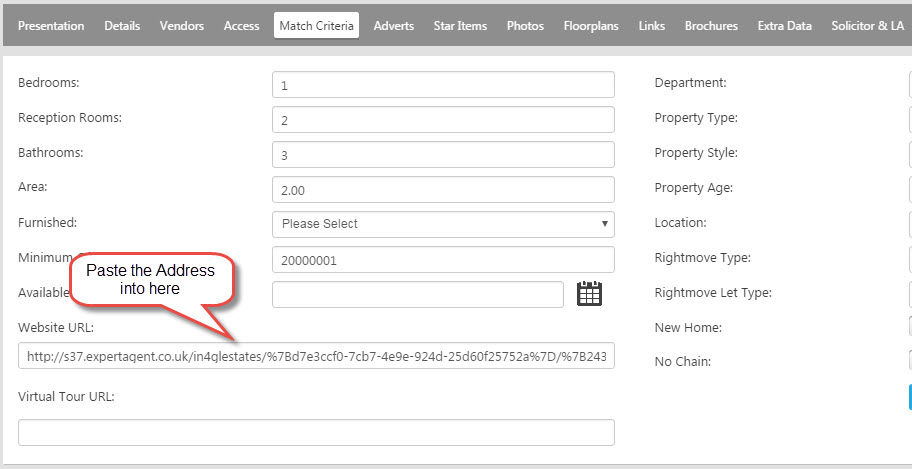
Back onto the Property, go to the Match Criteria tab and paste the URL into the "Website URL" box. N.B Please REMOVE s37 (or whatever number is in the URL) from the URL and REPLACE with www
Save the Property record. Now when your Applicant click on the brochure link in your Match Email it will display the brochure as a PDF rather than in our Powering.
How do I get rid of the web address at the bottom of my Report?
If you are getting a web address at the bottom of your Reports on the Print Preview, like below:
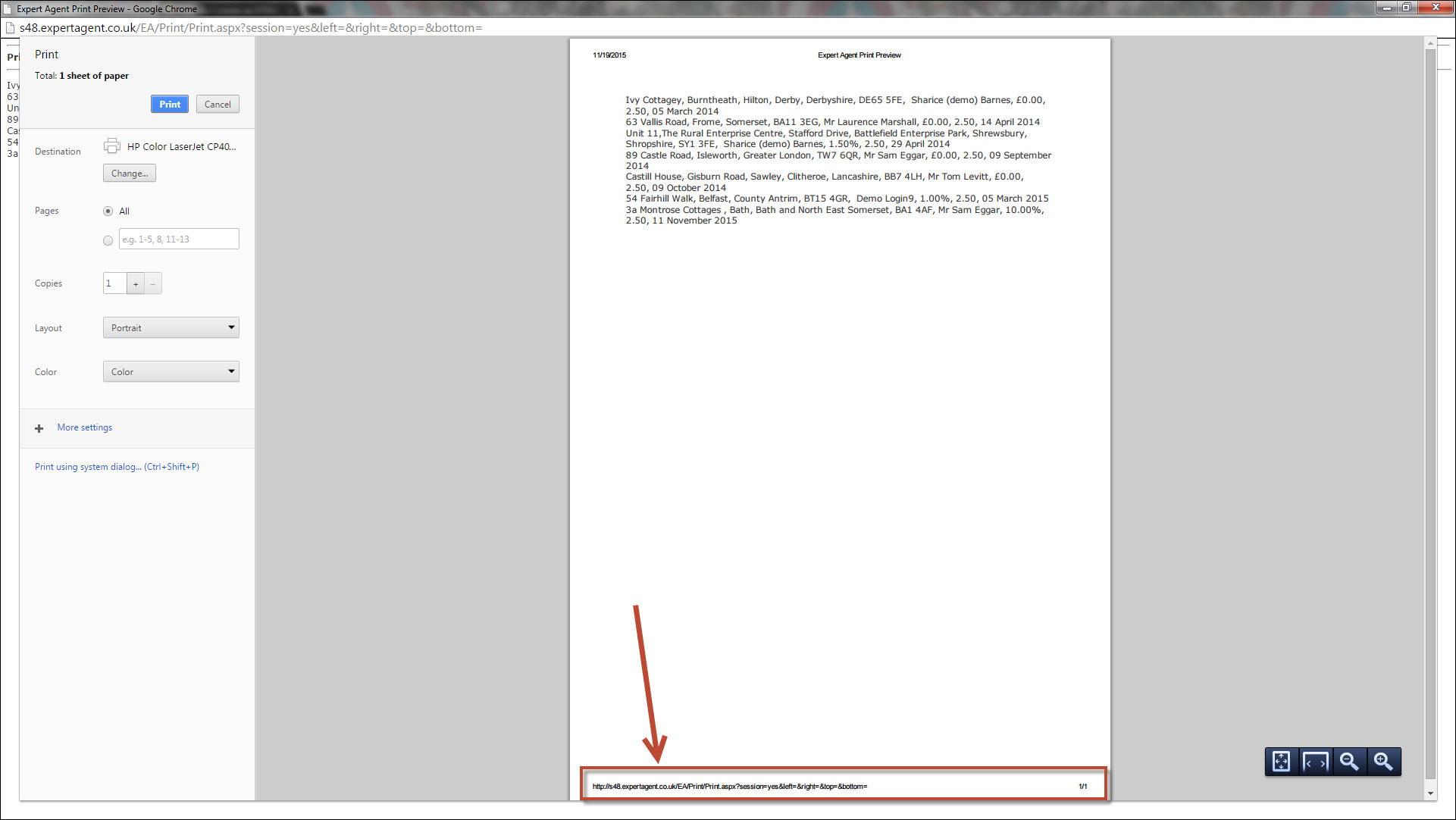
This can be removed simply.
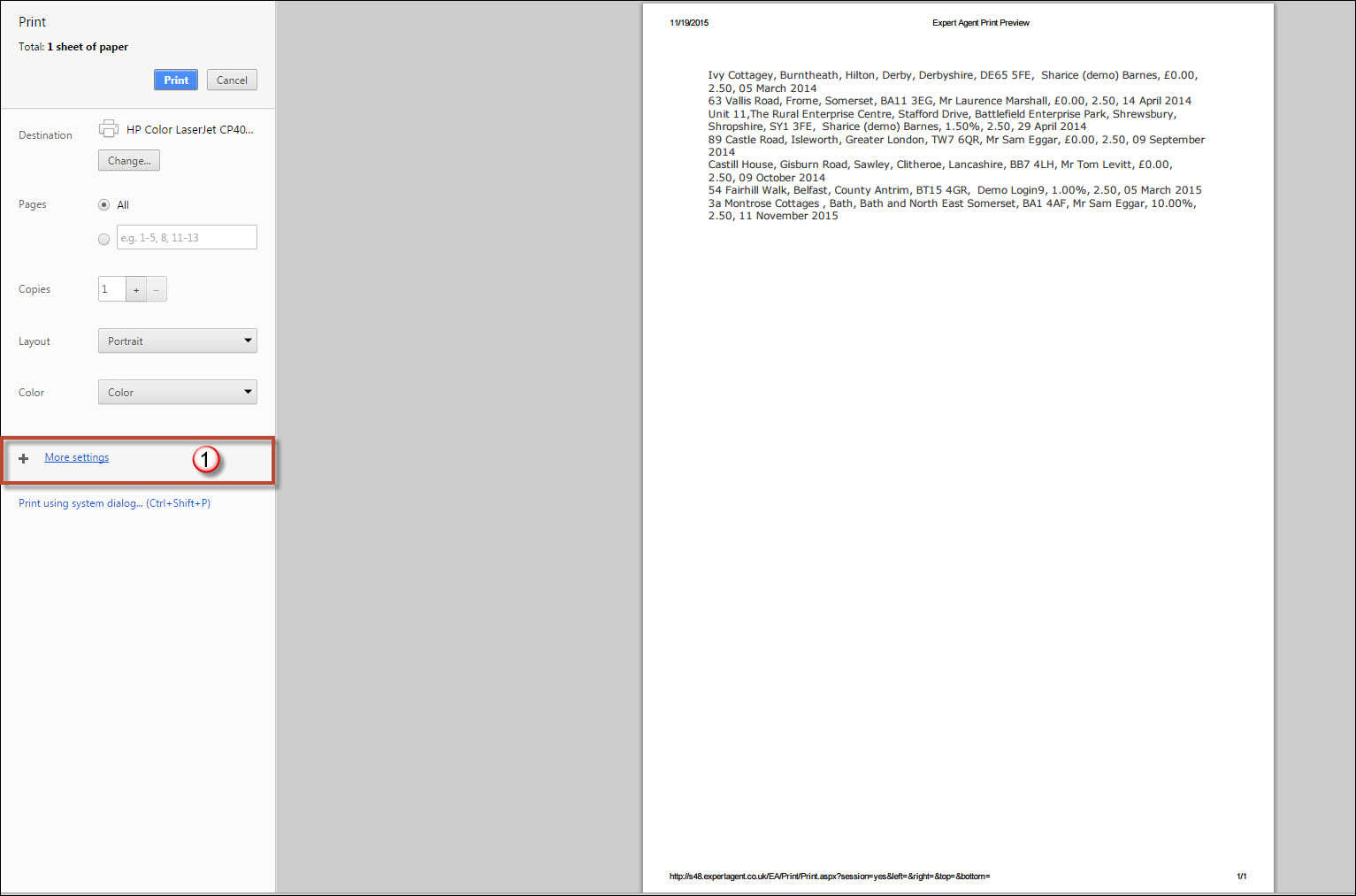
1) Click on "More Settings" on the left hand side.
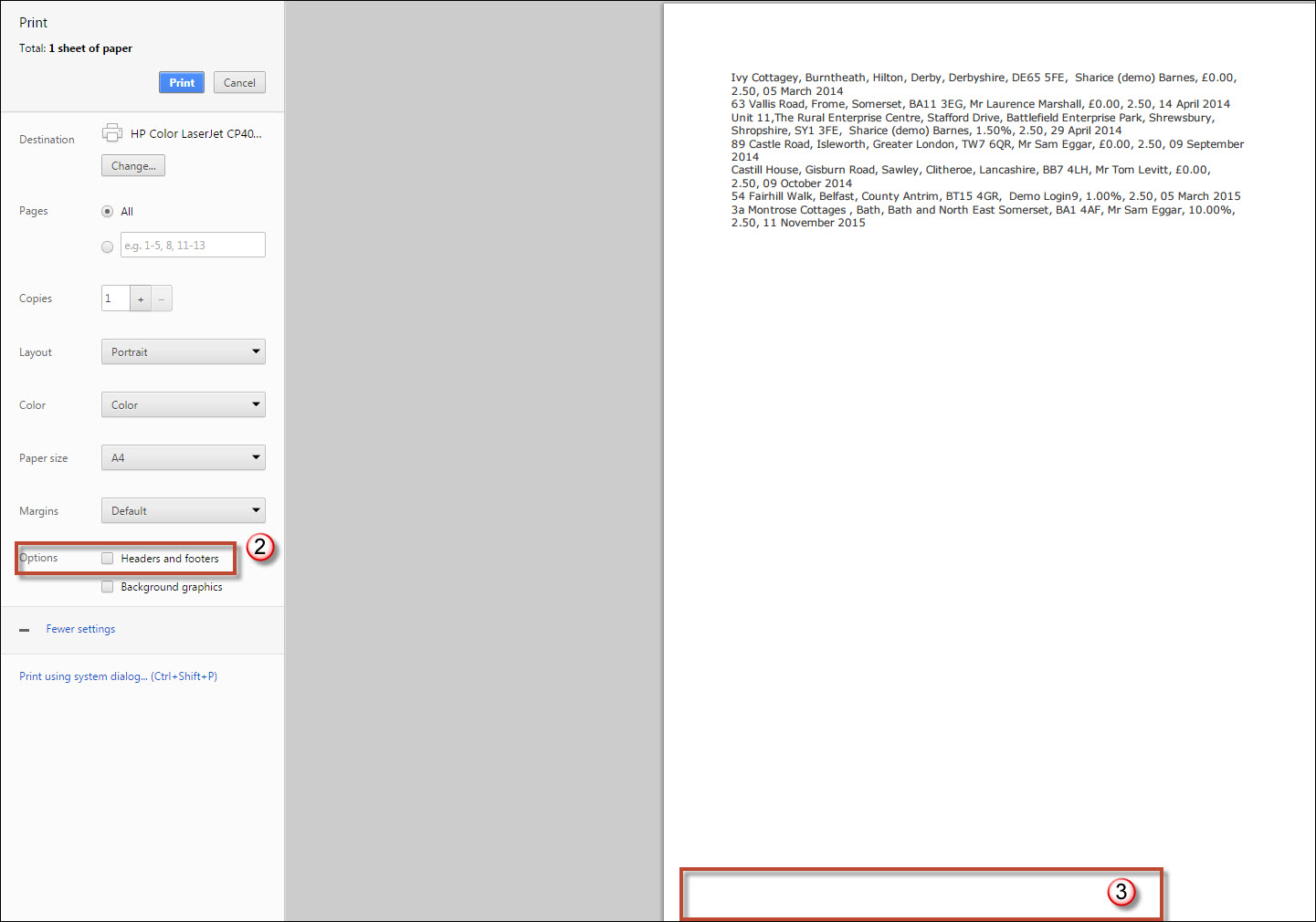
2) Untick this "Header and footers" tick box.
3) The web address will no longer be on the report.
This will no longer be on any of the reports you print unless you tick the tick box again.
Tel: 01225 303500 | Email: account.managers@webskyltd.com
Terms of Business | Cookie Policy | Privacy Policy | ZPG Modern Slavery Statement
Designed by the Expert Agent Design Department